Green Living
How To Save Energy in Your Home With Smart Plugs
Want to save time, money, and energy all while adding convenience to your life? Something as simple as using smart plugs throughout your home can help achieve these goals.
The average U.S. household has roughly 65 devices plugged in around the clock, quietly drawing about 770 kilowatt-hours of phantom power every year, about enough to run a refrigerator for nine months. At today’s average residential electricity rate of 17.47 cents per kilowatt-hour, that’s roughly $135 a year wasted on devices nobody uses.
Smart plugs are the simplest, cheapest way to stop electricity waste. The arrival of Matter, the cross-platform smart home standard backed by Amazon, Apple, Google, and Samsung, and the maturing of the low-power Thread wireless protocol mean a smart plug bought today should outlast the app it shipped with and work across whatever smart home ecosystem you switch to next. This updated article covers what changed, what to look for now, and which models are worth installing in 2026.
This article contains affiliate links. If you purchase an item through one of these links, we receive a small commission that helps fund our work.
How Smart Plugs Work
A smart plug sits between a wall outlet and whatever you plug into it — a lamp, a coffee maker, a space heater, an entertainment center. Inside is a relay that opens or closes the circuit on command, plus a wireless radio that listens for those commands from your phone or a smart speaker. Some plugs add an energy meter that reports real-time wattage and cumulative kilowatt-hours back to the app.
Older smart plugs relied entirely on 2.4 GHz Wi-Fi and the manufacturer’s cloud services, which meant a server outage or a Wi-Fi hiccup could leave you unable to turn off your lamp. Matter-certified plugs communicate locally over your home network and continue working even when the internet drops. Thread-based plugs go further, forming a self-healing mesh network in which each plugged-in device acts as a relay for the next, extending range and cutting response time, so there’s less waiting for your smart home app to make your smart home work.

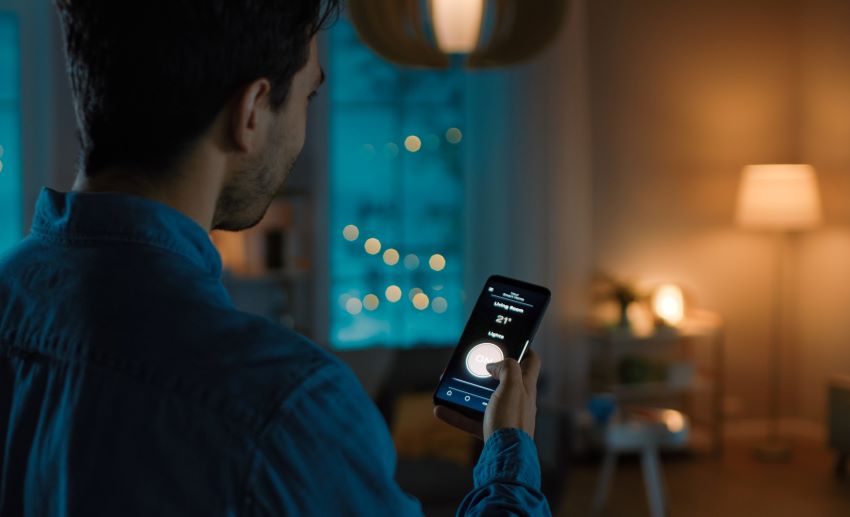
In late 2022, the Connectivity Standards Alliance released Matter 1.0, an open, royalty-free standard meant to end the era of locked smart home ecosystems. Matter-certified plugs pair with Apple Home, Amazon Alexa, Google Home, and Samsung SmartThings simultaneously, and it is configured by scanning a single QR code. No brand-specific app required, no separate hub for each platform.
Matter has matured quickly. Version 1.4 added home energy management as a first-class device category and introduced certified routers and access points that double as Thread border routers. Version 1.5, published in November 2025, expanded support to cameras, soil moisture sensors, and additional energy management features. As of 2026, Thread border router certification requires Thread 1.4, which lets security credentials to be passed between platforms, so a plug added through Apple Home can also be controlled from a SmartThings hub.
A Matter plug bought in 2026 should still work in 2030, even if you switch from an Amazon Echo to a HomePod or add a SmartThings station. By contrast, a proprietary Wi-Fi plug from a brand that goes out of business or sunsets its app is a paperweight. That’s a real consideration in a category where startups have come and gone — Wink, Insteon, and others left users stranded when their cloud services shut down.
How Much Energy They Actually Save
Smart plugs save energy only when you use them deliberately. The plug itself draws roughly 1 to 2 watts of standby power, so each one adds about $1.50 a year to your bill before it does any work. That cost is recovered many times over if the plug is used to schedule, monitor, or kill standby loads.
Three smart plug features do most of the work:
1. Cutting Standby Loads
The U.S. Department of Energy and the Natural Resources Defense Council estimate that standby power — the electricity devices draw when they’re switched off but still plugged in — accounts for 5% to 10% of residential electricity use, and as much as 23% in homes packed with always-on electronics. The NRDC estimates the national wasted energy spending at about $19 billion a year, or roughly $165 to $440 per household. Older devices, gaming consoles, set-top boxes, and audio equipment are the worst offenders.
A smart plug with energy monitoring lets you spot which devices are draining power in standby and either schedule them off overnight or kill the circuit entirely. One reviewer found an old gaming console drawing 50 watts in standby mode, which costs is about $45 a year at average rates.
2. Scheduling and Off-Peak Shifting
Scheduling a coffee maker, towel warmer, or seasonal lights to run only when needed is the simplest savings case. The bigger one is shifting flexible loads — EV chargers, dehumidifiers, pool pumps — to off-peak hours when many utilities offer lower rates and the grid is running on cleaner sources. Earth911’s reporting on vampire loads walks through which household devices are worth targeting first.
3. Smart Plugs can Catch Failures Early
This is the underrated benefit. A refrigerator that suddenly draws 40% more power, a sump pump that’s cycling too often, or a freezer running 24/7 because the door seal failed will all show up in an energy-monitoring plug’s history before they show up on your utility bill. For appliances that fail gradually, the plug is a cheap diagnostic tool.
2026 Performance Standards: What to Look For
The smart plug market has consolidated around a handful of meaningful specifications. A plug bought in 2026 should meet most of these:
- UL or ETL safety certification. This is non-negotiable. Uncertified plugs from unknown brands have been linked to overheating and fires; in 2023 the CPSC announced a recall of Emporia smart plugs over electric shock hazards, and counterfeit electrical products remain a documented risk. Look for the printed UL or ETL mark on the device itself, not just the listing page.
- 15-amp / 1,800-watt rating. Standard for U.S. plugs and sufficient for nearly any single-outlet appliance. Be cautious about controlling space heaters with smart plugs, even at this rating; high-draw devices running for hours can stress the relay.
- Matter certification. Look for the Matter logo (three arrows forming a triangle) on the plug packaging.
- Real energy monitoring. Look for plugs that report actual wattage and cumulative kilowatt-hours, not estimated usage based on assumed device profiles. This is the feature that turns a smart plug into a savings tool rather than a convenience gadget.
- Local scheduling stored on the plug itself continues running when the internet drops. Cloud-only schedules don’t.
- Compact form factor. Older plugs were bulky enough to block the second outlet on a duplex receptacle. Slim designs from Kasa, TP-Link Tapo, and Eve now fit two per outlet.
- Thread support is optional but useful. Thread plugs use less power than Wi-Fi, respond faster, and strengthen your mesh as you add more. They require a Thread border router, which is built into most current Apple, Google, and Amazon hubs.
Recommended Models for 2026
These picks are organized by use case rather than ranked overall. Prices and availability checked April 2026; verify before purchase.
Best Cross-Platform Pick: Kasa KP125M
The Kasa KP125M was one of the first Matter-certified plugs with proper energy monitoring and remains the best balance of features in 2026. It works with Apple Home, Alexa, Google Home, and SmartThings via Matter to track real-time and historical wattage in the Kasa app. It stores schedules locally and is compact enough to stack two in a duplex outlet. UL-certified, 15A/1800W. Around $20 per plug in 2-packs and 4-packs. The Chinese manufacturer, TP-Link, has had its U.S. market presence scrutinized for security concerns — worth considering if that’s a priority for your household.
Best for Apple Home and Thread Mesh: Eve Energy
Eve Energy (Matter) runs over Matter and Thread, joining a Thread mesh automatically to act as a router for nearby devices. Eve’s privacy posture is unusual: no cloud, no account registration, no telemetry, so you can use it without fear of digital surveillance of your home. The energy monitoring is granular enough to capture small changes in appliance behavior, and the app provides detailed cost projections. UL-certified, 15A/1800W. Premium-priced at closer to $40 per plug, but the Thread support and privacy stance justify it for households committed to a local-first smart home.
Outdoor Use: Wyze Plug Outdoor
For holiday lights, pool pumps, garden features, and string lights, the Wyze Plug Outdoor offers two independently controlled, weather-sealed outlets with energy monitoring, a built-in light sensor, and IP64 water resistance. It works with Alexa and Google Assistant, operating from -4°F to 120°F. Typically priced between $25 and $30. Note that Wyze has had several security incidents over the past few years, which is worth weighing for indoor cameras, but matters less for an outdoor plug controlling lights.
Simplest Alexa-Only Setup: Amazon Smart Plug
If your household is already deep in the Alexa ecosystem and you want zero-configuration setup, the Amazon Smart Plug pairs automatically with Echo devices and works through the Alexa app, with no separate setup required. While it provides n o energy monitoring, this Alexa-only costs around $20. The simplest option, but the least flexible if you ever switch ecosystems.
The Bigger Picture
Smart plugs are a small intervention. Cutting standby load might save a household $50 to $200 a year — meaningful, but a fraction of the savings available from more efficient HVAC, water heating, and appliance choices, which together account for the majority of residential electricity use. The case for smart plugs is less about that one number and more about the visibility they provide. Most households have no idea which devices are responsible for their bills until they get the data.
The category also has a larger-grid story. Smart plugs that can shift flexible loads to off-peak hours give utilities and grid operators tools to balance demand without building more peaker plants, particularly relevant as electrification of heating and transportation drives residential demand growth. Check out our conversation with ecobee’s Sarah Colvin, which to go deeper into how distributed smart devices are starting to function as grid resources, not just consumer conveniences.
What You Can Do
- Audit before you buy. Walk through your home with a notepad and list devices that run on standby, such as entertainment systems, gaming consoles, printers, set-top boxes, microwaves with clocks, or anything with an LED that stays lit. Those are your first smart plug candidates.
- Start with one Matter plug with energy monitoring. Use it as a diagnostic tool for a week on each of your top suspects before installing a full set. The data will tell you which loads are worth automating.
- Build schedules around the loads you actually use. A coffee maker that runs from 6:30 to 7:30 a.m., an entertainment system that powers down at midnight, and holiday lights on a sunset-to-11 p.m. window. Aim for the plug to spend most of its time off.
- Check for utility rebates. Many U.S. utilities offer rebates on energy-monitoring devices and smart home products that participate in demand-response programs. Your provider’s website or ENERGY STAR’s rebate finder is the place to start.
- Don’t put high-draw appliances on smart plugs. Space heaters, window AC units, and other devices that draw near the 15A rating for hours at a time stress the relay and pose a real fire risk. Use a hardwired smart switch or a smart breaker for those instead.
- Verify safety certification on the physical product. The UL or ETL mark should be printed on the plug itself. If it’s not, return it.
Editor’s Note: Originally written by Sandi Schwartz on March 29, 2023, this article was substantially updated in April 2026.
The post How To Save Energy in Your Home With Smart Plugs appeared first on Earth911.
https://earth911.com/eco-tech/how-to-save-energy-in-your-home-with-smart-plugs/